

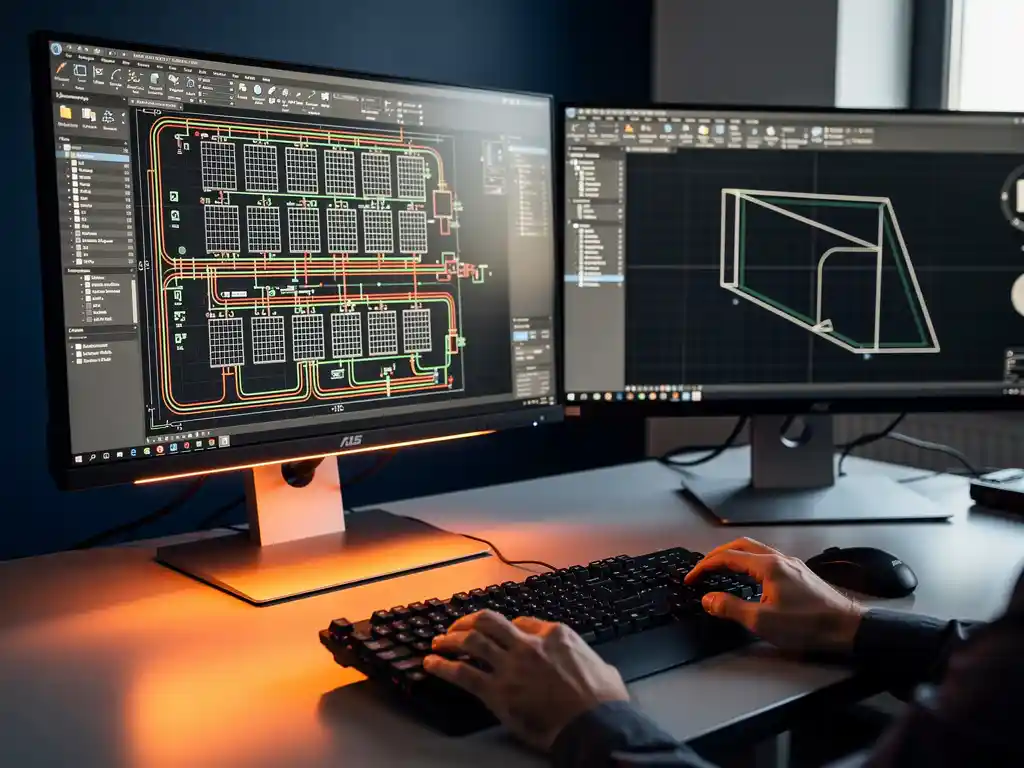
PV design software and general CAD tools solve fundamentally different problems. General CAD tools are drawing platforms that let engineers create geometry and layouts, while PV design software is purpose-built to handle the electrical, structural, and energy calculations that solar projects require. For solar engineers, the distinction matters enormously because using the wrong tool adds weeks of manual work and introduces costly accuracy risks. The questions below break down exactly where the two diverge and when each approach makes sense.
Can general CAD tools handle solar-specific calculations?
General CAD tools cannot natively handle solar-specific calculations. Platforms like AutoCAD or BricsCAD are precision drawing environments built for geometry, not engineering calculation engines. They can produce accurate site layouts and equipment placement drawings, but they have no built-in logic for string sizing, shading analysis, yield simulation, ballast loads, or electrical compliance checks. Every one of those calculations must be done manually or in a separate tool.
This means that a solar engineer using only a general CAD platform is essentially doing two jobs at once: drafting in the CAD environment and calculating in spreadsheets, simulation software, or by hand. The drawings and the calculations live in separate places, which creates version control problems and leaves room for transcription errors. When project scope changes, the engineer has to update both the drawing and every related calculation independently, which compounds the risk of inconsistency.
For small residential projects, this workflow is manageable. For commercial rooftop or utility-scale ground-mounted installations with hundreds of strings, multiple inverters, and complex terrain, the manual approach becomes a serious operational bottleneck.
What features does PV design software include that CAD tools don’t?
PV design software includes a range of solar-specific features that general CAD tools simply do not offer: automated string configuration, shade simulation, yield analysis, ballast and wind load calculations, electrical single-line generation, and direct integration with mounting system manufacturer data. These features are embedded into the design workflow rather than handled externally.
The practical difference is that PV design software treats a solar project as an interconnected engineering system, not just a drawing. When you place a module in a PV-specific tool, the software knows it is a module with electrical characteristics, a physical footprint, and a structural load. Change the module type, and the string calculations, ballast requirements, and yield estimates update automatically.
Additional capabilities that distinguish dedicated PV tools include:
- 3D terrain modeling that accounts for slope, obstacles, and shading from surrounding structures
- Shadow simulation that calculates energy loss across different times of year
- Mounting system integration via API connections to manufacturer databases, ensuring structural compliance without manual lookup
- PVsyst compatibility for seamless handoff to energy yield simulation
- Construction-ready output that generates permit and build documentation directly from the design model
None of these capabilities exist in a general CAD environment without significant custom scripting or third-party plugins.
How does PV design software reduce engineering time compared to CAD?
PV design software reduces engineering time by automating the repetitive calculation and documentation tasks that consume the most hours in a solar project workflow. Where a general CAD approach might take weeks or months to produce a construction-ready design package, purpose-built PV software can compress that timeline to a matter of days by running calculations in the background as the design develops.
The time savings come from several compounding efficiencies. First, there is no need to switch between tools because calculations happen inside the design environment. Second, automated checks catch errors before they propagate through the design, eliminating time-consuming review cycles. Third, documentation like single-line diagrams, bills of materials, and layout sheets generate automatically from the model rather than being drafted separately.
For engineering teams under pressure to scale project volume without proportionally scaling headcount, this kind of automation is not a convenience. It is a structural advantage. Our Virto.CAD software is built specifically around this principle, reducing engineering time by up to 80% on commercial and utility-scale projects by eliminating the manual steps that slow teams down most.
When should solar engineers use PV software instead of standard CAD?
Solar engineers should use dedicated PV design software whenever a project involves electrical system design, energy yield requirements, structural load compliance, or construction-ready documentation. In practice, that means virtually every commercial, industrial, or utility-scale project justifies PV-specific tooling from the start.
Standard CAD tools remain appropriate for tasks that are purely geometric: site boundary surveys, civil infrastructure drawings, or general facility layouts where solar context is incidental. But the moment a project requires string calculations, shading analysis, or equipment-specific structural data, a general CAD tool becomes a liability rather than an asset.
The decision point is often earlier than engineers expect. Even during pre-sales or feasibility phases, using PV software produces layouts that reflect real electrical and structural constraints, which means fewer surprises when the project moves to detailed engineering. Teams that use general CAD for early-stage layouts frequently discover that the pre-sales design cannot be directly translated into a construction-ready plan, forcing a full redesign.
What are the accuracy risks of designing solar projects in general CAD?
The primary accuracy risk of designing solar projects in general CAD is that the drawing and the engineering calculations exist in separate, unsynchronized systems. Any change to the layout requires manual updates to every affected calculation, and there is no automated check to confirm those updates were made correctly. On large projects, this creates a compounding error risk that can translate into serious construction cost overruns.
Specific risks include:
- String sizing errors that result in inverter mismatches discovered during installation
- Shading miscalculations that overestimate yield and undermine project financial models
- Structural non-compliance when ballast or wind load assumptions are based on manual lookups rather than verified manufacturer data
- Version mismatches between the drawing set and the calculation package when revisions are made late in the project
- Documentation gaps that slow down permit approvals or fail inspections
For projects with 25-year operational lifecycles, an error introduced at the design stage can have consequences that extend far beyond the construction phase. The accuracy standards required for long-term solar assets are difficult to maintain consistently when calculations live outside the design environment.
Can PV design software work inside an existing CAD environment?
Yes, PV design software can work directly inside an existing CAD environment. Plugin-based solutions integrate into platforms like AutoCAD or BricsCAD, adding solar-specific calculation and automation capabilities without requiring engineers to abandon the tools and workflows they already know. This approach combines the precision drafting environment of professional CAD with the engineering intelligence of purpose-built solar software.
For engineering teams that have invested in CAD infrastructure and trained their engineers on those platforms, a plugin approach offers the lowest-friction path to improved productivity. There is no new interface to learn, no file format conversion, and no disruption to existing collaboration processes. The solar-specific features appear as additional functionality within the familiar CAD workspace.
This integration model also means that drawings produced in the PV design environment are native CAD files, compatible with the rest of the project team’s toolchain. Structural engineers, civil engineers, and contractors can open and work with the same files without needing access to specialized solar software. If you want to explore how this works in practice, our team is happy to walk through the specifics for your workflow and project types.
Frequently Asked Questions
How do I know if my current CAD-based workflow is costing me time and money?
The clearest indicators are recurring version mismatches between your drawings and calculation packages, time spent manually updating spreadsheets after layout changes, and redesigns triggered when pre-sales layouts can’t be directly carried into detailed engineering. If your team is regularly spending hours reconciling drawings with external calculation files — or if errors are surfacing during construction rather than during design review — that’s a strong signal that your current workflow has structural inefficiencies a purpose-built PV tool would eliminate.
Can small residential solar installers benefit from PV design software, or is it only worth it for large commercial projects?
While the ROI is most dramatic on commercial and utility-scale projects, residential installers can still benefit significantly — especially if they’re handling high project volume. The time saved on string sizing, single-line generation, and permit documentation adds up quickly when you’re processing dozens of projects per month. That said, if you’re doing occasional small residential installs with simple layouts, a general CAD tool combined with a dedicated string sizing tool may be sufficient for your current needs.
What’s the learning curve like when switching from general CAD to PV design software?
For plugin-based PV design solutions that integrate directly into AutoCAD or BricsCAD, the learning curve is minimal because engineers work within the CAD interface they already know — the solar-specific features simply appear as additional functionality. Standalone PV design platforms typically require more onboarding time, but most modern tools are designed with solar engineers in mind and offer guided workflows that reduce ramp-up time considerably. Teams generally report reaching productive proficiency within days to a few weeks, depending on project complexity.
What should I look for when evaluating PV design software for my engineering team?
Prioritize tools that offer deep CAD integration (especially if your team is already on AutoCAD or BricsCAD), automated string sizing and shade simulation, direct API connections to mounting system manufacturer databases, and construction-ready output that generates permit documentation automatically. Also evaluate how well the software handles your most common project types — a tool optimized for residential may not scale well to utility-grade complexity. Requesting a live walkthrough with your own project data is the most reliable way to assess real-world fit before committing.
How does PV design software handle projects with complex terrain or unusual roof geometries?
Purpose-built PV design tools include 3D terrain modeling capabilities that account for slope variations, obstacles, and irregular roof planes — something general CAD tools can represent geometrically but can’t evaluate in terms of shading impact or structural load implications. These tools calculate how terrain and geometry affect energy yield across different seasons, automatically adjusting string configurations and ballast requirements based on the actual site conditions. This is particularly valuable for ground-mounted projects on uneven land or commercial rooftops with multiple pitches, skylights, and HVAC equipment.
Is it possible to migrate existing CAD project files into PV design software without starting from scratch?
In most cases, yes — particularly with plugin-based solutions where the design environment is the same CAD platform. Existing site drawings, boundary files, and layout geometries can typically be imported as a starting point, with PV-specific intelligence layered on top. Standalone PV platforms vary in their import capabilities, but most support standard DWG or DXF file formats, allowing you to bring in existing geometry rather than rebuilding from zero. The extent of rework required depends on how much of the original file’s structure aligns with the PV tool’s design model.
What common mistakes should engineering teams avoid when first adopting PV design software?
The most common mistake is treating PV design software as just a faster drawing tool rather than an integrated engineering system — meaning teams adopt it for layout production but continue doing calculations externally in spreadsheets, which defeats the purpose. Another frequent error is skipping the manufacturer database integrations and manually entering equipment specs, which reintroduces the same accuracy risks the software is designed to eliminate. Finally, teams that don’t standardize their workflows across engineers early on often end up with inconsistent project files that undermine the collaboration and version control benefits the software provides.
Related Articles
Source link