

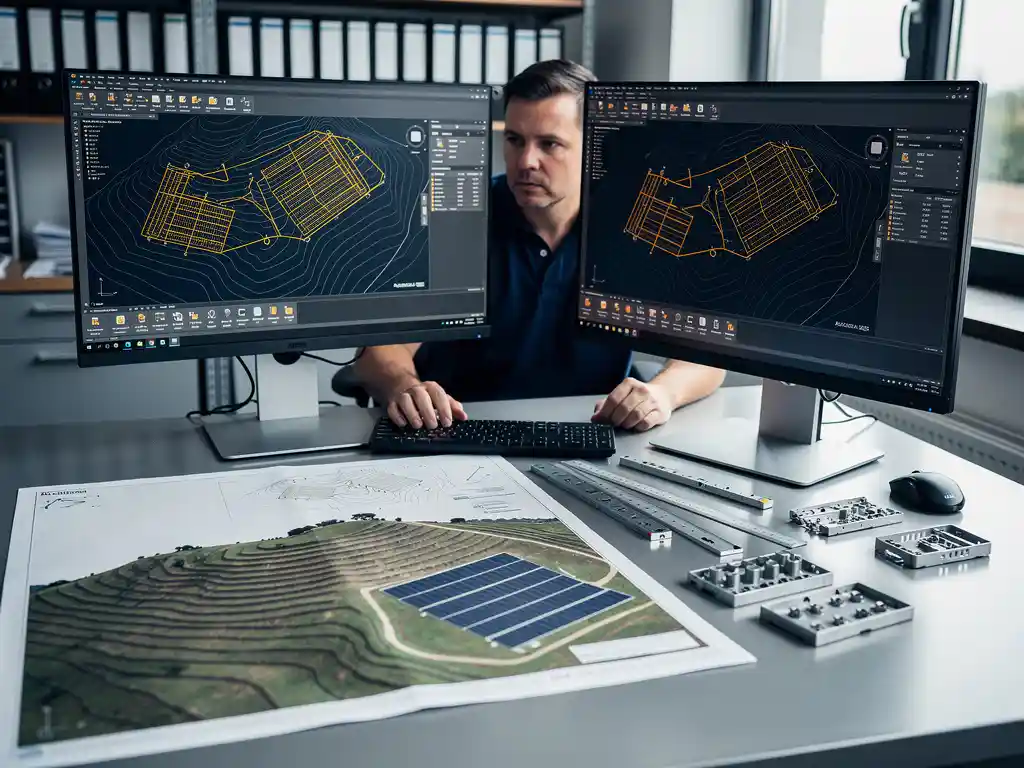
Modern PV design software handles complex terrain and stringing configurations by combining digital elevation data, 3D surface modeling, and automated string optimization algorithms. Instead of relying on manual calculations across uneven ground, the software maps slope angles, shading patterns, and row spacing dynamically, then generates optimized string layouts that account for real-world site conditions. The sections below break down exactly how each part of that process works.
How does PV design software model uneven or sloped terrain?
PV design software models uneven or sloped terrain by importing elevation data, such as LiDAR point clouds or digital elevation models, and converting it into a 3D surface that reflects actual ground conditions. The software then calculates slope angles, aspect orientation, and row-to-row relationships directly on that surface rather than assuming a flat reference plane. This allows engineers to place modules accurately across hills, valleys, and graded areas without manual correction.
The practical benefit is significant. When terrain is modeled in three dimensions, the software can automatically adjust inter-row spacing to prevent shading at different sun angles, recalculate foundation depths based on slope, and flag areas where grading costs may outweigh energy yield. Engineers working on utility-scale ground-mounted projects deal with sites that span hundreds of acres, and even gentle undulations can compound into major design errors if treated as flat ground.
Most professional PV design tools also allow engineers to overlay terrain data with boundary constraints, exclusion zones, and setback requirements. This means the 3D model is not just a visual representation but an active design environment where every module placement decision is informed by the actual physical conditions of the site.
What makes stringing configurations difficult on complex terrain?
Stringing configurations become difficult on complex terrain because slope changes, shading variation, and module orientation differences across a site cause mismatched electrical output between modules in the same string. When modules at different elevations or aspects receive different levels of irradiance, combining them into a single string reduces overall system performance and increases the risk of hotspots and inverter clipping. Getting this right manually across a large, irregular site is extremely time-consuming and error-prone.
The core challenge is that a string of modules must be electrically compatible to perform efficiently. On flat ground, this is relatively straightforward. On terrain with multiple slope directions, engineers need to group modules that share similar orientation and shading profiles. That requires analyzing thousands of individual module positions simultaneously, something that quickly exceeds what spreadsheet-based or manual methods can handle accurately.
There are also practical wiring constraints. String runs must stay within voltage and current limits set by the inverter manufacturer, and cable routing across uneven ground adds length and cost that must be factored into the design. On complex sites, the interaction between electrical groupings and physical cable routing creates a combinatorial problem that only purpose-built PV design software can solve efficiently.
How does PV software automate string layout and optimization?
PV design software automates string layout by applying rule-based and algorithmic optimization to group modules with compatible electrical characteristics, then routing strings to minimize cable length and balance inverter loading. The software evaluates every module’s position, orientation, and shading profile simultaneously and assigns it to the optimal string automatically, rather than requiring engineers to do this manually row by row.
The automation typically works in several stages:
- Module classification: Each module is assessed for its orientation, tilt, and expected irradiance based on terrain and shading analysis.
- String grouping: Modules with similar electrical profiles are grouped into strings that stay within inverter input voltage and current windows.
- Cable routing optimization: String runs are planned to minimize total cable length while respecting physical constraints like roads, drainage channels, and equipment pads.
- Inverter load balancing: The software distributes strings across inverter inputs to avoid overloading any single MPPT channel.
This level of automation is where tools like Virto.CAD deliver measurable time savings. By automating the repetitive calculation work that would otherwise take engineers days or weeks, design teams can focus on reviewing and refining outputs rather than generating them from scratch. For utility-scale projects with thousands of modules, the difference between manual stringing and automated stringing can represent the gap between a two-week design cycle and a two-day one.
What’s the difference between terrain-aware and flat-site solar design tools?
The key difference between terrain-aware and flat-site solar design tools is how they represent the physical environment. Flat-site tools assume a uniform horizontal plane and apply simplified shading and spacing calculations. Terrain-aware tools import real elevation data and model the site in three dimensions, allowing every design decision, from module placement to cable routing, to reflect actual ground conditions rather than an idealized surface.
Flat-site tools are appropriate for commercial rooftop projects where the surface is largely uniform and elevation changes are minimal. They are faster to set up and sufficient when the design assumptions closely match reality. However, applying flat-site logic to ground-mounted utility-scale projects introduces compounding errors. Row spacing calculated on a flat plane may create shading losses on a south-facing slope, and yield estimates based on uniform irradiance will be inaccurate when parts of the array face different directions.
Terrain-aware tools require more input data and more processing time upfront, but they produce designs that hold up in construction. The construction-ready accuracy they provide matters because errors discovered during installation, rather than during design, are far more expensive to correct. For any project where the ground is not genuinely flat, terrain-aware PV design software is not a premium feature but a practical necessity.
How accurate are terrain-based yield simulations in PV software?
Terrain-based yield simulations in PV design software are highly accurate when the input elevation data is high quality and the software correctly models shading, diffuse irradiance, and module temperature across the 3D surface. The accuracy of the simulation is directly tied to the resolution of the terrain model and the sophistication of the irradiance calculation engine. With LiDAR-quality elevation data and hourly weather datasets, modern PV software can produce yield estimates that align closely with measured production data from operating plants.
There are a few important factors that affect simulation accuracy:
- Elevation data resolution: Coarse terrain models miss small-scale shading features like ridgelines and vegetation that can meaningfully reduce output in specific areas of the array.
- Shading algorithm complexity: Simple horizon-based shading models are less accurate than full 3D near-shading calculations that account for row-to-row shading throughout the day and across seasons.
- Weather data quality: Yield simulations depend on representative irradiance data for the site location. Satellite-derived datasets with long historical records reduce uncertainty compared to short-term measured data.
- System loss modeling: Accurate simulations account for soiling, degradation, cable losses, and inverter efficiency curves, not just raw irradiance.
For projects that need to meet bankability standards for financing, terrain-based yield simulations from professional PV software are often compatible with third-party energy yield assessment processes, particularly when the software supports export formats compatible with tools like PVsyst.
When should engineers use specialized PV design software over general CAD tools?
Engineers should use specialized PV design software over general CAD tools whenever a project involves complex terrain, automated stringing, yield simulation, or construction-ready documentation that must meet engineering sign-off standards. General CAD tools are excellent for drafting and geometry, but they do not natively understand solar-specific logic such as module electrical grouping, shading analysis, inverter compatibility, or mounting system load calculations. Doing that work inside a general CAD environment requires manual effort that specialized software automates.
The decision point typically comes down to project complexity and team capacity. For a small commercial rooftop with a straightforward layout, a general drafting tool may be sufficient if the engineer is experienced and the design is simple. But for ground-mounted utility-scale projects, the volume of decisions involved, including terrain modeling, row spacing, stringing, cable sizing, structural loading, and yield simulation, makes manual methods impractical at scale.
Specialized PV design software also reduces the risk of costly errors. A stringing mistake or a shading miscalculation that reaches construction can cost far more to correct than the software license itself. For engineering directors managing multiple projects simultaneously and trying to scale team output without proportionally scaling headcount, the efficiency gains from specialized tools directly affect project margins and delivery timelines.
If your team is still relying on general CAD tools for complex solar projects and wants to understand what purpose-built PV design software could change for your workflow, we are happy to walk you through what that looks like in practice.
Frequently Asked Questions
What types of elevation data formats are compatible with most PV design software?
Most professional PV design tools support LiDAR point clouds (.las or .laz), digital elevation models (DEMs), and GeoTIFF raster files as primary terrain inputs. Some platforms also accept drone-generated photogrammetry outputs, which are increasingly popular for mid-size projects where commissioning a full LiDAR survey isn’t cost-justified. When sourcing terrain data, prioritize datasets with a resolution of 1 meter or better — coarser data can miss localized slope changes that affect row spacing and shading calculations in meaningful ways.
How do I know if my site is complex enough to require terrain-aware PV design software?
A practical rule of thumb is to use terrain-aware tools any time your site has elevation changes greater than 2–3 meters across the array footprint, or when any portion of the site faces a non-primary azimuth direction. Even seemingly gentle slopes — under 5 degrees — can create significant row-to-row shading discrepancies when projected across hundreds of meters of array length. If your preliminary site walk or satellite imagery reveals visible grade changes, drainage features, or mixed orientations, flat-site assumptions will introduce errors that compound through stringing, yield, and civil cost estimates.
What are the most common stringing mistakes engineers make on complex terrain projects, and how can software help prevent them?
The most frequent mistakes include mixing modules from different slope faces into the same string, underestimating cable length due to terrain path versus straight-line distance, and failing to account for seasonal shading shifts that affect string compatibility differently in summer versus winter. Purpose-built PV design software prevents these errors by evaluating each module’s irradiance profile before assigning it to a string group, and by routing cable lengths along actual terrain contours rather than flat-plane distances. Running a shading simulation across multiple seasonal timestamps — not just the design-day solstice — is a best practice the software can automate but manual methods rarely execute consistently.
Can terrain-based PV designs be exported in formats compatible with construction and procurement workflows?
Yes — most professional PV design platforms support export to standard construction documentation formats including DXF/DWG for civil and structural teams, as well as BOMs (bills of materials) in spreadsheet formats for procurement. Some tools, including Virto.CAD, also support export compatibility with energy yield assessment tools like PVsyst, which is important for projects requiring third-party bankability review. Confirming your software’s export capabilities before starting a project is worthwhile, as reformatting outputs manually between design and construction teams is a common source of version-control errors and delays.
How long does it typically take to set up a terrain-aware design for a utility-scale project compared to a manual workflow?
With purpose-built PV design software, a fully terrain-aware design for a utility-scale project — including module layout, automated stringing, and yield simulation — can typically be completed in one to two days once the terrain data and site constraints are loaded. The same scope handled manually through general CAD tools and spreadsheet-based stringing calculations often takes one to two weeks, and carries a higher risk of errors that require rework. The upfront time investment in importing and validating terrain data is real, but it pays back quickly on any project above roughly 1 MWp where the volume of design decisions makes manual methods impractical.
Does automated stringing optimization in PV software account for future module degradation or soiling patterns?
Automated stringing optimization primarily groups modules based on their initial orientation, tilt, and shading profiles — it does not dynamically reoptimize for degradation over time, since string configurations are fixed at installation. However, high-quality PV design software does incorporate degradation rates and soiling loss factors into the yield simulation, which affects how the design is evaluated for long-term energy production and financial modeling. If your site has known differential soiling patterns — for example, modules near a dirt access road versus the far end of the array — flagging those zones during design and treating them as separate string groups is a best practice that some advanced tools can assist with.
Is specialized PV design software cost-effective for smaller engineering teams or firms just scaling into utility-scale work?
For teams moving from commercial rooftop into utility-scale ground-mounted projects, the cost-effectiveness calculation shifts quickly in favor of specialized software. A single stringing error or shading miscalculation on a multi-megawatt project can generate rework costs that far exceed an annual software license. Beyond error prevention, the speed advantage — compressing multi-week design cycles into days — allows smaller teams to take on more projects without proportionally increasing headcount, which directly improves project margins. Many platforms offer project-based or subscription pricing that makes the entry point accessible even before a firm has a high-volume pipeline.
Related Articles
Source link